
Wi-Fi is everywhere in medical device ecosystems—clinical networks, home networks, gateways, service laptops, remote monitoring portals, and cloud-connected hubs. If your device connects over Wi-Fi, your cybersecurity story includes WPA2 (and increasingly, WPA3).
This article explains the WPA2 4-way handshake at a high level, highlights real-world risks (including KRACK and weak passphrases), and gives practical mitigations and testing guidance for medical device manufacturers—without turning into an attack tutorial.
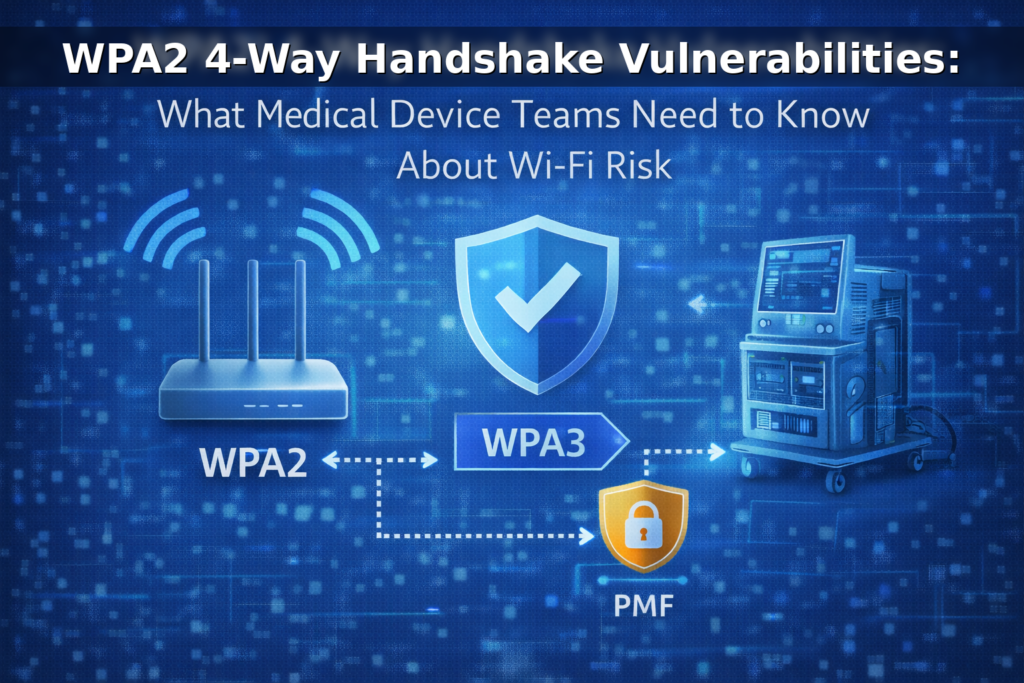
Quick correction: WPA2 uses a 4-way handshake (not “3-way”)
WPA2 security relies on a 4-way handshake (four EAPOL-Key messages) between the client (supplicant) and the access point (authenticator). The purpose is to confirm both sides possess the shared key material and to derive session keys used to protect traffic. It’s called “4-way” because there are four messages in the exchange. This is separate from the “3-way handshake” you may know from TCP networking.
References:
WPA/WPA2 4-Way Handshake overview,
KRACK (4-way handshake weakness).
What the WPA2 4-way handshake does (high-level)
The WPA2 4-way handshake is designed to:
- Confirm key possession without sending the passphrase itself over the air
- Derive fresh session keys for encryption and integrity protection
- Enable secure communication after association
In WPA2-Personal (PSK), security depends heavily on passphrase strength. In WPA2-Enterprise (802.1X/EAP), security depends on identity, certificates, and enterprise authentication configuration.
Where WPA2 risk shows up in practice
WPA2 can be configured securely, but teams get burned when they assume “Wi-Fi security is solved.” The biggest risks typically fall into a few buckets:
1) Weak passphrases in WPA2-Personal
WPA2-Personal (PSK) is common in home environments and small clinics. If the passphrase is weak or reused, security can fail even when the crypto is strong. In connected medical devices, the design should never assume “the local network is trusted.”
2) KRACK and implementation realities
KRACK (Key Reinstallation Attacks) demonstrated a weakness in WPA2’s 4-way handshake handling in some implementations. The big MedTech lesson isn’t just “KRACK happened”—it’s that protocol issues and implementation bugs do happen, and long-lived devices must be patchable to stay defensible.
References:
KRACK Attacks site
KRACK summary (Qualys)
CERT-EU advisory (PDF)
3) Management frame disruption and resilience
Wi-Fi networks are vulnerable to certain management-frame abuse patterns. Protected Management Frames (PMF)—based on IEEE 802.11w—improves resilience by protecting a subset of management frames after keys are established.
References:
Wi-Fi Alliance security overview (WPA3 + PMF)
Wi-Fi Alliance: PMF overview
PMF (802.11w) explanation
Why this matters for medical device manufacturers
Medical devices operate in real environments, not lab networks. Wi-Fi security decisions can impact:
- Availability (disruptions affect clinical workflow and device uptime)
- Confidentiality (exposure risk increases on poorly configured networks)
- Integrity (trust assumptions can lead to unsafe behavior if not bounded)
- Postmarket burden (long lifecycles require monitoring and patching over time)
FDA’s premarket cybersecurity expectations emphasize designing for cybersecurity and providing supporting documentation and evidence—especially for devices with connectivity and cybersecurity risk.
Recommended mitigations for Wi-Fi medical devices
1) Prefer WPA3 when feasible (and plan transition)
WPA3 improves protections against password guessing and requires PMF in WPA3 modes. If your intended environments support WPA3, it’s generally the direction you want to move.
References:
Wi-Fi Alliance: WPA3 overview
WPA3 deployment guidance
2) Prefer WPA2-Enterprise / WPA3-Enterprise for managed clinical environments
For hospitals and enterprise networks, an enterprise authentication model (802.1X/EAP) is typically preferable to shared passphrases. It supports stronger identity and access controls and reduces “shared secret sprawl.”
3) If WPA2-Personal is unavoidable, treat the network as hostile
Home-use devices may need to work on WPA2-Personal networks. In those cases:
- avoid default/shared secrets
- document strong passphrase guidance in labeling/IFU as appropriate
- use application-layer protections (e.g., TLS, certificate validation) so Wi-Fi access does not imply trust
4) Enable Protected Management Frames (PMF) where supported
PMF improves resilience for a subset of management frames. WPA3 requires PMF; for WPA2 environments, enabling PMF (where supported) can reduce certain disruption and spoofing risks.
5) Make patchability a first-class requirement
KRACK was a reminder that wireless security depends on software behavior. If your device can’t receive validated updates, your long-term risk grows—even if your day-one security posture is strong.
6) Reduce blast radius with segmentation and least privilege
Assume an attacker could be on the same local network. Use segmentation, least privilege, and secure service exposure so that local Wi-Fi presence does not translate into device control.
How to test and document Wi-Fi security (defensible evidence)
To keep your Wi-Fi cybersecurity story credible (for customers and regulators), capture evidence that connects design decisions to verification results:
- Supported Wi-Fi modes: WPA2-Personal, WPA2-Enterprise, WPA3 (and any constraints)
- Threat model tie-in: what threats exist on local networks and how you mitigate them
- Verification: configuration validation, negative testing, resilience testing, update validation
- Postmarket plan: how you monitor and respond to wireless-related vulnerabilities over time
If you want a baseline set of WLAN hardening recommendations, NIST provides practical guidance:
NIST SP 800-153: Securing WLANs
FAQs
Is WPA2 “broken”?
Not universally. WPA2 can be configured securely—especially in enterprise contexts. The most common real-world weaknesses are weak passphrases, poor operational controls, and unpatched implementations.
What’s the biggest WPA2 risk for home-use connected devices?
Weak Wi-Fi passphrases and inconsistent home network security. Device design should avoid assuming the local network is safe and should rely on application-layer security controls.
Should medical devices support WPA3?
If intended environments support it, WPA3 is generally a stronger baseline and improves resilience (including PMF requirements). Many teams support WPA3 while maintaining a transition strategy for WPA2 where needed.
How Blue Goat Cyber Helps
If your device uses Wi-Fi and you need a defensible cybersecurity story—premarket or postmarket—Blue Goat Cyber can help with wireless threat modeling, testing strategy, evidence generation, and lifecycle readiness.
- FDA Premarket Cybersecurity Services
- Medical Device Threat Modeling
- Medical Device Vulnerability & Penetration Testing
- FDA Postmarket Cybersecurity Management
- Contact Blue Goat Cyber
Bottom line: The question isn’t “WPA2 vs WPA3.” It’s whether your device is designed for real networks, resilient when wireless assumptions fail, and patchable over the full lifecycle.